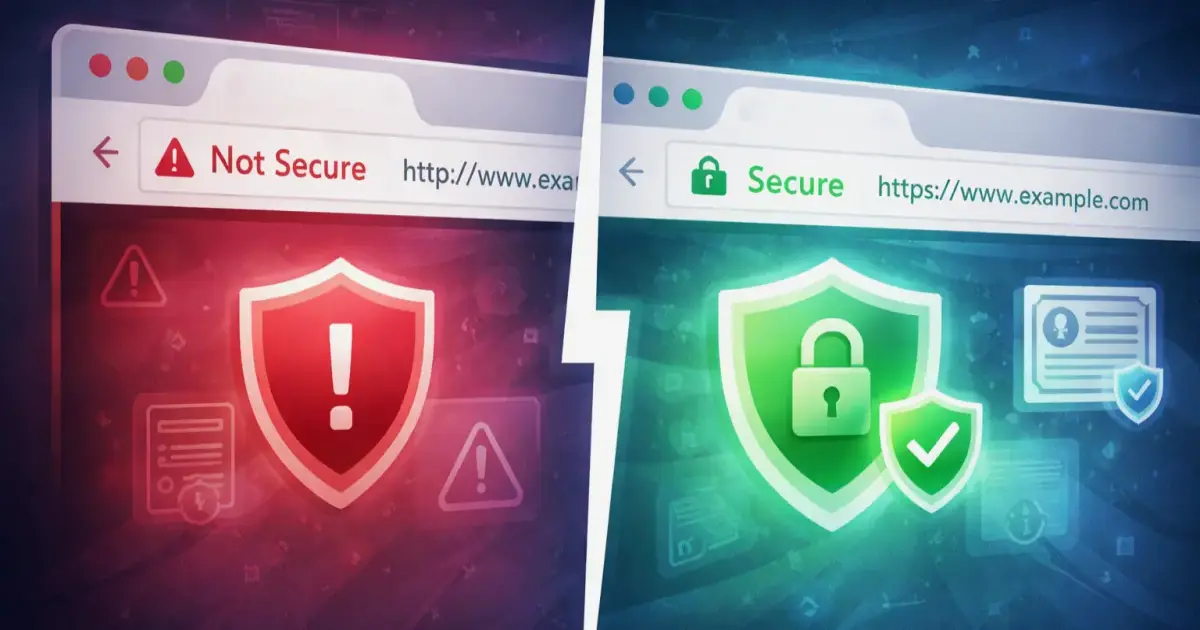
Since the beginning of 2017, Google Chrome began marking HTTP sites as "Not Secure" when users enter data in password or credit card fields. Since July 2018, Chrome marks ALL HTTP pages as insecure.
This is a serious change that affects millions of websites worldwide. If your site still uses HTTP instead of HTTPS, the time to act is NOW.
What exactly is happening?
When a visitor opens an HTTP site in Google Chrome (which has over 60% market share), the browser displays a "Not Secure" warning in the address bar.
Evolution of the warning:
- 2017: "Not Secure" only on forms with passwords/payments
- July 2018: "Not Secure" on ALL HTTP pages
- 2019-2020: More prominent red warning
- Today: Full-screen warning when attempting to enter data
This warning looks very threatening to users and directly affects trust in your business.
Over 80% of users leave a website that displays a security warning. HTTPS is no longer an option - it is a requirement.
— Google Security Report 2023
Why is Google doing this?
The goal of Google is to make the internet a safer place. The HTTP protocol does not encrypt data between the browser and the server, which means:
Risks with HTTP:
- Man-in-the-Middle attacks - Hackers can intercept communication between the user and the site
- Data theft - Passwords, credit cards, personal information can be stolen
- Content manipulation - Third parties can change the page content
- Lack of identification - The user cannot be sure they are communicating with the real site
Protection via HTTPS:
HTTPS (HyperText Transfer Protocol Secure) uses SSL/TLS encryption and provides:
- Encryption - All data between browser and server is encrypted
- Authentication - Confirms that the user is communicating with the real site
- Integrity - Guarantees that data has not been changed en route
Impact on business
1. Decreased conversions
Research shows:
- 84% of users leave a site with a "Not Secure" warning
- Conversions can drop by 30-50% on HTTP sites
- Average bounce rate increases by 20-40%
2. Impact on SEO
Google officially announced that HTTPS is a ranking factor:
- HTTPS sites receive a small SEO boost
- HTTP sites can be downgraded in results
- Google Search Console shows warnings for HTTP
3. Loss of trust
Modern users are educated about online security:
- 70% check for the padlock (HTTPS) before purchase
- Lack of HTTPS reduces trust in the brand
- B2B clients require HTTPS for partnerships
What should you do?
Step 1: Buy and install an SSL certificate
There are several types of SSL certificates:
Domain Validation (DV) - Recommended for most sites
- Cheapest option (often free with Let's Encrypt)
- Validates only that you own the domain
- Issued within minutes
- Ideal for blogs, portfolio sites, small businesses
Organization Validation (OV)
- Validates the organization behind the site
- Shows company name in the certificate
- Higher level of trust
- Suitable for corporate websites
Extended Validation (EV)
- Highest level of validation
- Shows the company name directly in the address bar (in some browsers)
- Mandatory background check of the company
- Recommended for e-commerce and financial sites
Recommendation for most sites: Let's Encrypt (free DV SSL) is perfectly sufficient. Creative Idea offers automatic installation of Let's Encrypt with all our hosting plans.
Step 2: Configure the server for HTTPS
After installing the SSL certificate, you must:
- Activate HTTPS on the server - Usually done automatically from the hosting panel
- Test the HTTPS connection - Visit
https://your-site.bgand check if it loads - Check for mixed content - Ensure that all resources (images, CSS, JS) also load via HTTPS
Step 3: Redirect HTTP to HTTPS
It is important to redirect ALL HTTP requests to HTTPS. Add the following to the .htaccess file (for Apache servers):
RewriteEngine On\nRewriteCond %{HTTPS} off\nRewriteRule ^(.*)$ https://%{HTTP_HOST}%{REQUEST_URI} [L,R=301]Or for nginx servers in the configuration file:
server {\n listen 80;\n server_name your-site.bg www.your-site.bg;\n return 301 https://your-site.bg$request_uri;\n}Important: Use 301 redirect (permanent), not 302 (temporary), to preserve SEO value!
Step 4: Update internal links
Change all internal links from HTTP to HTTPS:
For WordPress sites:
- Go to Settings → General
- Change "WordPress Address (URL)" and "Site Address (URL)" to
https://your-site.bg - Use a plugin like "Better Search Replace" to replace all HTTP links in the content
For static HTML sites:
- Use a text editor with "Find and Replace" function
- Replace
http://your-site.bgwithhttps://your-site.bg - Check and external resources (CDN, fonts, analytics)
Step 5: Update Google Analytics and Search Console
Google Analytics:
- Log in to GA Admin panel
- Property Settings → Default URL → Change to
https:// - View Settings → Website's URL → Change to
https://
Google Search Console:
- Add the HTTPS version as a new property
- Verify ownership
- Submit a new sitemap.xml for the HTTPS version
- Do not remove the HTTP version immediately - monitor it for 2-3 months
Step 6: Update CDN and external services
If you use a CDN (Content Delivery Network) or other external services:
- Cloudflare - Activate "Always Use HTTPS" in SSL/TLS tab
- MaxCDN - Configure SSL in Pull Zone Settings
- Social Media - Update URLs in Facebook, Twitter, LinkedIn profiles
- Email Marketing - Change links in email templates
- PPC Campaigns - Update destination URLs in Google Ads, Facebook Ads, etc.
HTTPS migration checklist
- ✅ SSL certificate purchased and installed
- ✅ HTTPS works on the site
- ✅ HTTP → HTTPS redirect configured (301)
- ✅ Internal links updated
- ✅ Canonical tags point to HTTPS
- ✅ Sitemap.xml updated with HTTPS URLs
- ✅ Robots.txt checked
- ✅ Google Analytics updated
- ✅ Google Search Console - added HTTPS property
- ✅ Social media profiles updated
- ✅ Email marketing templates updated
- ✅ CDN configured for HTTPS
- ✅ Tested for mixed content warnings
- ✅ Monitoring set up for SSL expiry
Frequently Asked Questions
How much does an SSL certificate cost?
- Let's Encrypt: Completely free (automatic renewal every 90 days)
- DV SSL: 0-50 BGN yearly
- OV SSL: 100-300 BGN yearly
- EV SSL: 300-1000+ BGN yearly
Creative Idea offers Let's Encrypt SSL certificates for free with all our hosting plans, with automatic installation and renewal.
Will I lose SEO positions when moving to HTTPS?
No, if the migration is done correctly with 301 redirects. In the long run, HTTPS improves SEO positions.
Do I need to update backlinks?
It is not mandatory, because 301 redirects will redirect HTTP links to HTTPS. But it is good practice to ask important sites to update the links.
How long does the migration take?
- Small site (5-10 pages): 1-2 hours
- Medium site (50+ pages): 4-6 hours
- Large e-commerce site: 1-2 days
Conclusion
HTTPS is no longer a luxury feature - it is an absolute necessity for every modern website. Google Chrome warnings for HTTP sites directly affect:
- User trust
- Conversion rates
- SEO positions
- Brand reputation
Don't wait any longer! Every day with HTTP is lost traffic and sales.
Creative Idea offers free HTTPS migration for all our clients. Our team will:
- Install Let's Encrypt SSL certificate (free)
- Configure automatic redirects
- Update internal links
- Test for mixed content
- Help with Google Analytics and Search Console
Contact us today and make your site secure in 24 hours!